Guide · 9 steps
Find mounts & muzzle devices
Browse every mount, muzzle device, piston, and front accessory in the catalog, narrow them to the parts verified to fit your suppressor, and read the prices and retailer links, which you can use or ignore.
Open the accessories catalogStep 1: Open the accessories catalog
Open Accessories from the top navigation. This is the catalog of every part that attaches a suppressor to a firearm or bolts onto one: mounts, which connect a suppressor to a barrel; muzzle devices, the brakes and flash hiders that thread onto a barrel and that many suppressors lock onto; pistons, the spring-loaded inserts a pistol suppressor needs to cycle reliably; front accessories, the caps and brakes on a suppressor's front end; and linear compensators, which redirect blast and noise forward, away from the shooter. The tabs across the top split the catalog by those types, with a live count on each.
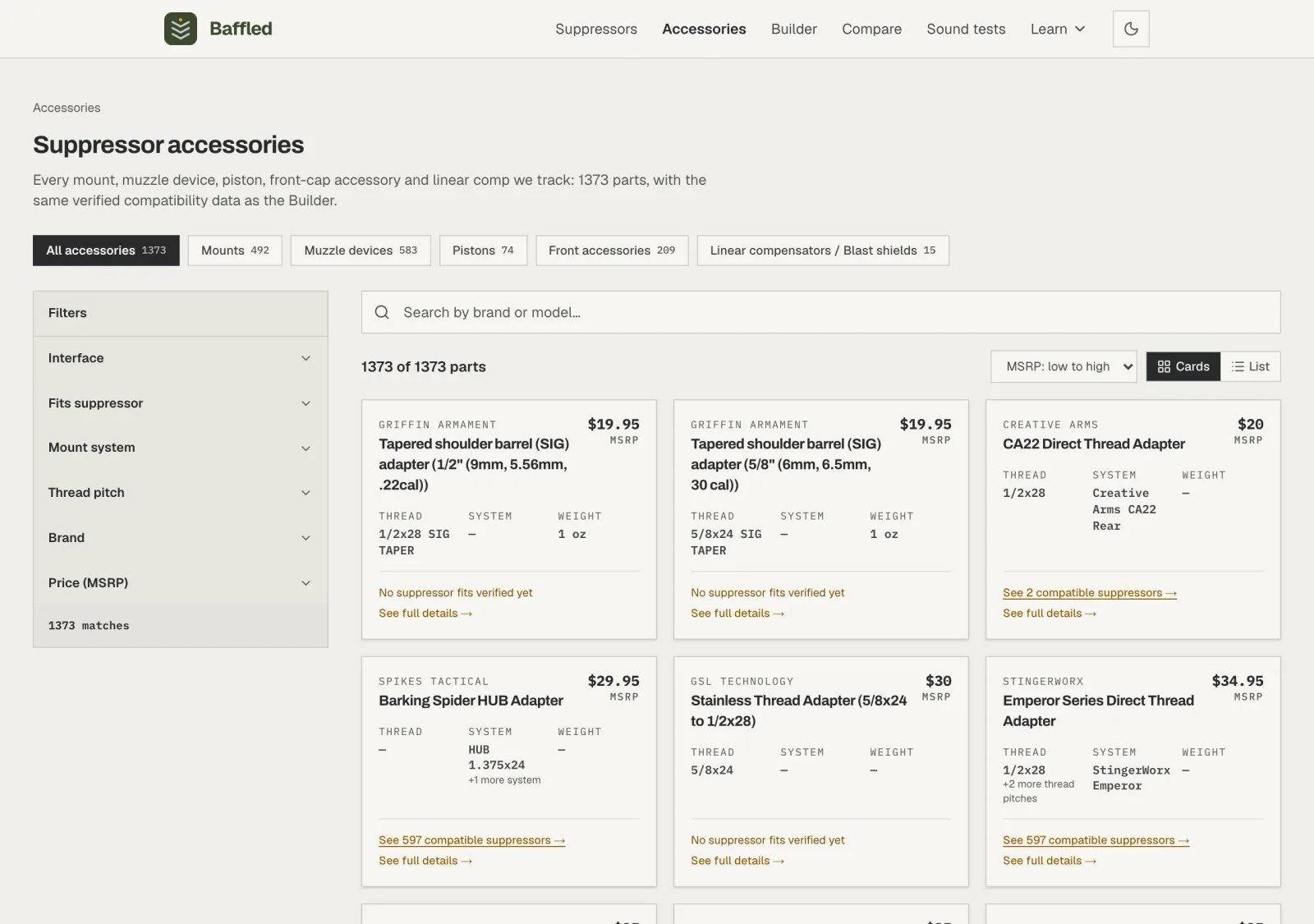
One catalog for every attachment part, split by type. Step 2: Pick a type of part
Pick Muzzle devices from the tabs. Each type page keeps the same filters and adds any that only make sense there: on muzzle devices, a Device style filter separates muzzle brakes, which redirect gas to fight recoil, from flash hiders, which break up the visible flash. The count on each tab is how many parts of that type are in the catalog.
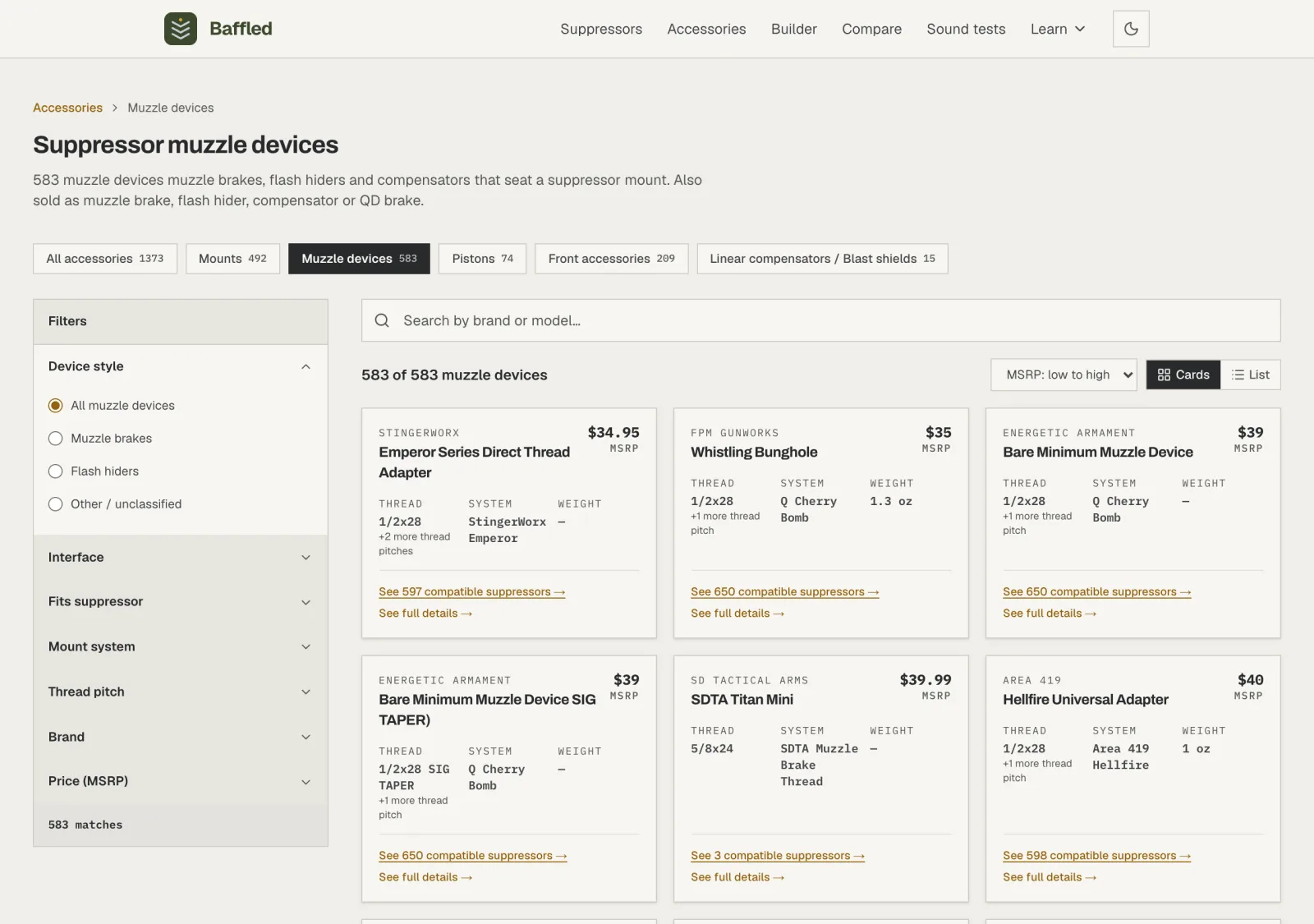
Step 3: Start from the suppressor you own
The filter that does the most work is Fits suppressor. Open it and search for the suppressor you own or plan to buy; we'll pick the Dead Air Nomad-30 the other guides use. The catalog records which mounting system each suppressor accepts, so this one choice keeps only the parts with a verified way to attach to your suppressor.
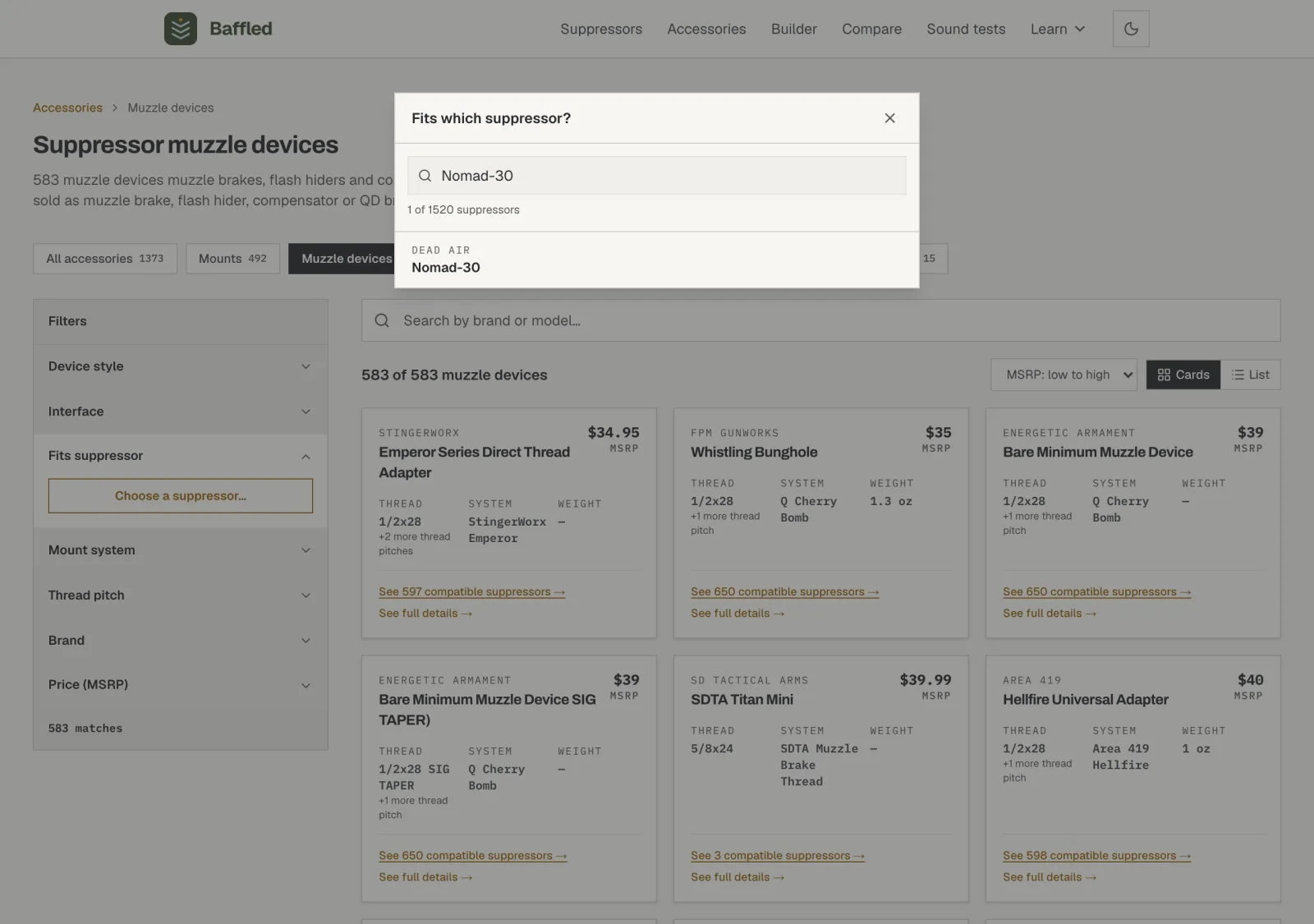
No suppressor yet?: The other filters work on their own. Thread pitch narrows to parts cut for your barrel's thread, the screw thread on the muzzle such as 1/2x28 or 5/8x24, and Interface separates parts that serve a suppressor from muzzle devices that only serve the barrel.
Step 4: Stack the rest of your requirements
The grid now keeps the muzzle devices with a verified fit on the Nomad-30, plus barrel-only devices, which by design fit no suppressor and always stay listed. A note above the results counts the parts hidden because no published spec confirms their fit; unconfirmed is not the same as incompatible. Keep stacking your real limits the way the suppressor catalog works: Mount system, Thread pitch, Brand, and Price (MSRP) all combine, and the match count updates as you go.
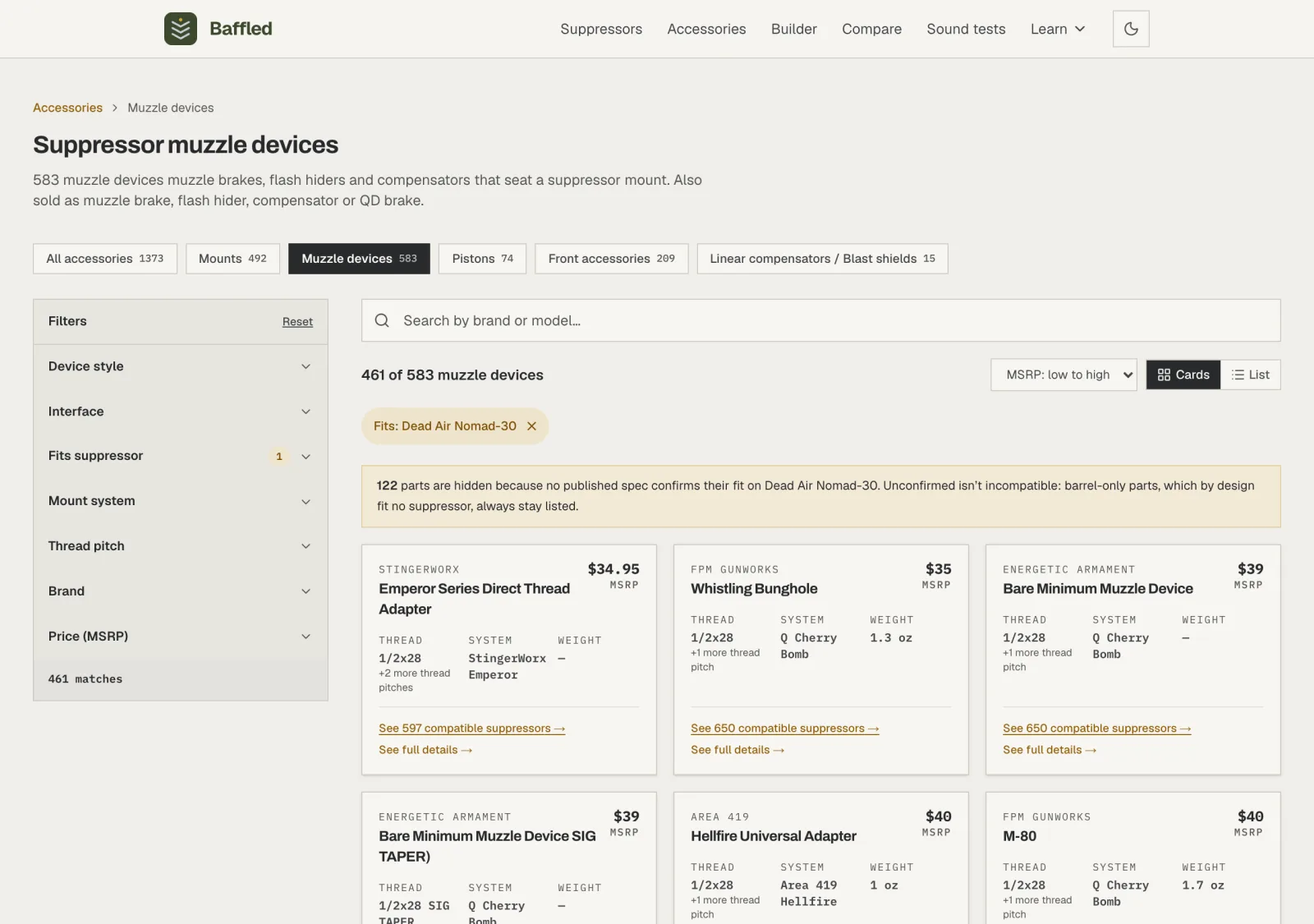
On a phone: The filters live behind a Filters button that opens a sheet. Changes there are staged, so nothing applies until you tap the Show button at the bottom, which carries a live count of the parts it will reveal.
Step 5: Read a card
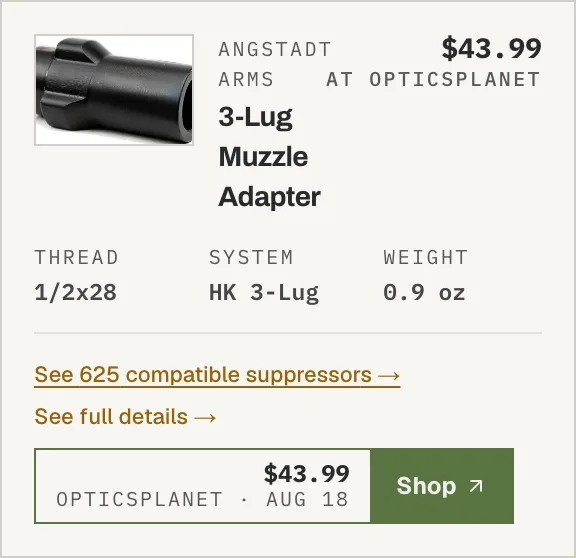
A card leads with the maker and model, a photo when we have one (tap it to enlarge), and the three specs that matter most for fit: the thread it attaches with, the mounting system it belongs to, and its weight. The corner price is the manufacturer's suggested retail price (MSRP) when one is published; when the maker never published one and OpticsPlanet, EuroOptic, or Guns.com stocks the part, the corner shows that retailer's price instead, labeled so you always know which kind of number you're reading. The footer says where the part stands in the catalog, such as how many suppressors it fits, or that it attaches to the barrel only by design.
Step 6: Or scan it as a table
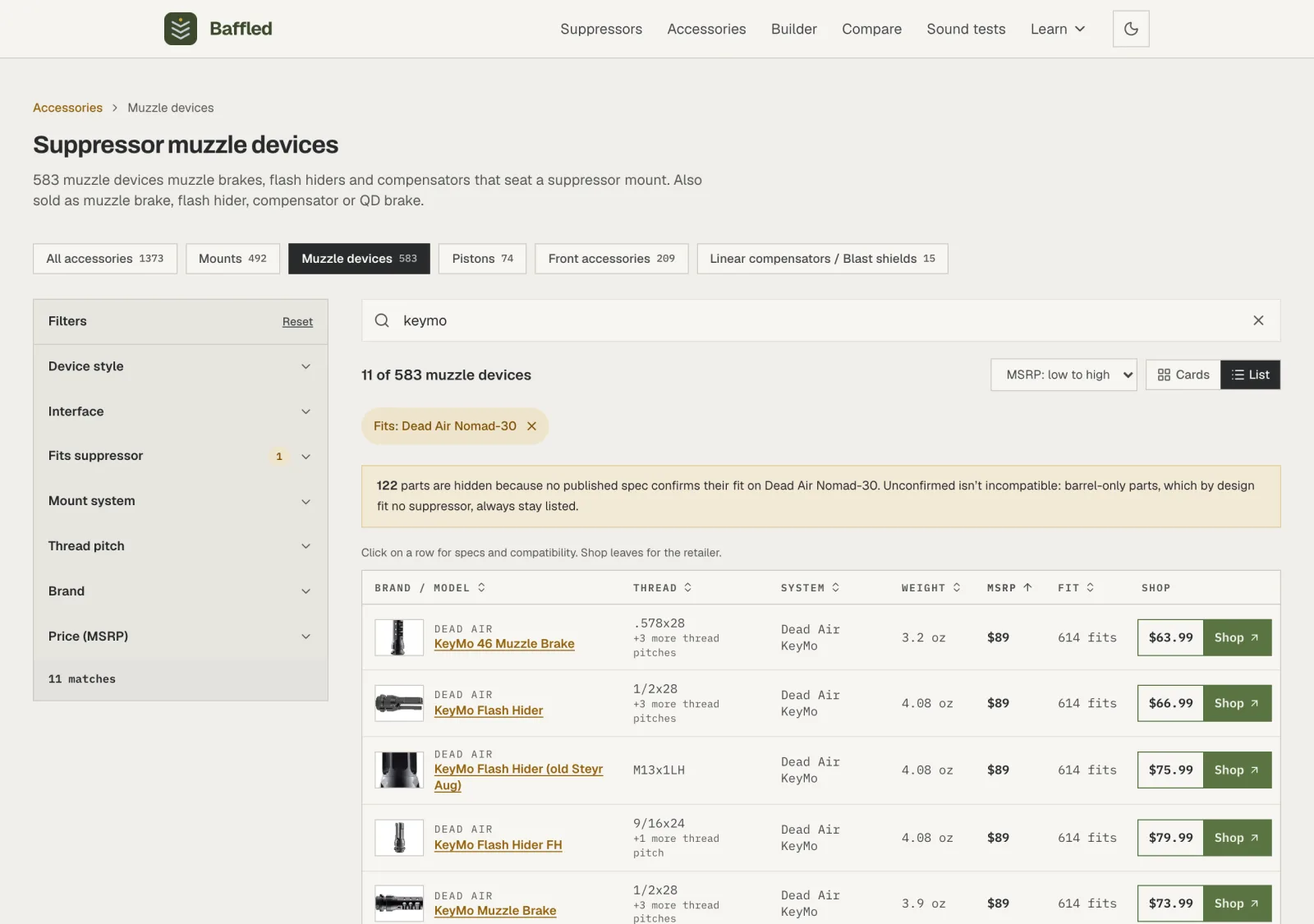
Switch to the List view to sort the results as a table: Brand, Thread, System, Weight, MSRP, and verified Fit are all sortable columns. The last column, Shop, carries the retailer exit for parts OpticsPlanet, EuroOptic, or Guns.com stocks, so you can scan street prices down the page. The search box narrows the table the same way it narrows the cards; here it's narrowed to one mounting system's family.
Step 7: Prices and Shop links, plainly
Two kinds of price appear on these pages, and each is labeled. MSRP is the manufacturer's suggested retail price, taken from the maker's own material. A price marked at OpticsPlanet, EuroOptic, or Guns.com is that retailer's price from its product feed, shown with the date we read it, next to a Shop button that opens the retailer's page in a new tab.
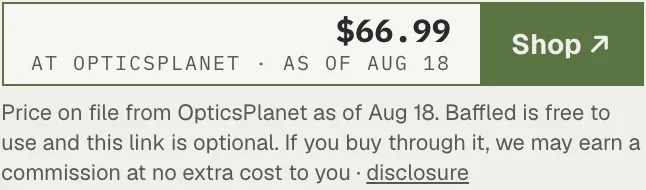
Free to use, links optional: Everything on Baffled is free, and you never need to click a Shop link to use any of it. If you do buy through one, that retailer pays us a commission, and the price you pay is the same as if you had gone to the retailer directly. The affiliate disclosure, also linked under every price, spells out what the arrangement never changes: compatibility results, ordering, and what the catalog includes. Read the affiliate disclosure
Step 8: Open the part's page
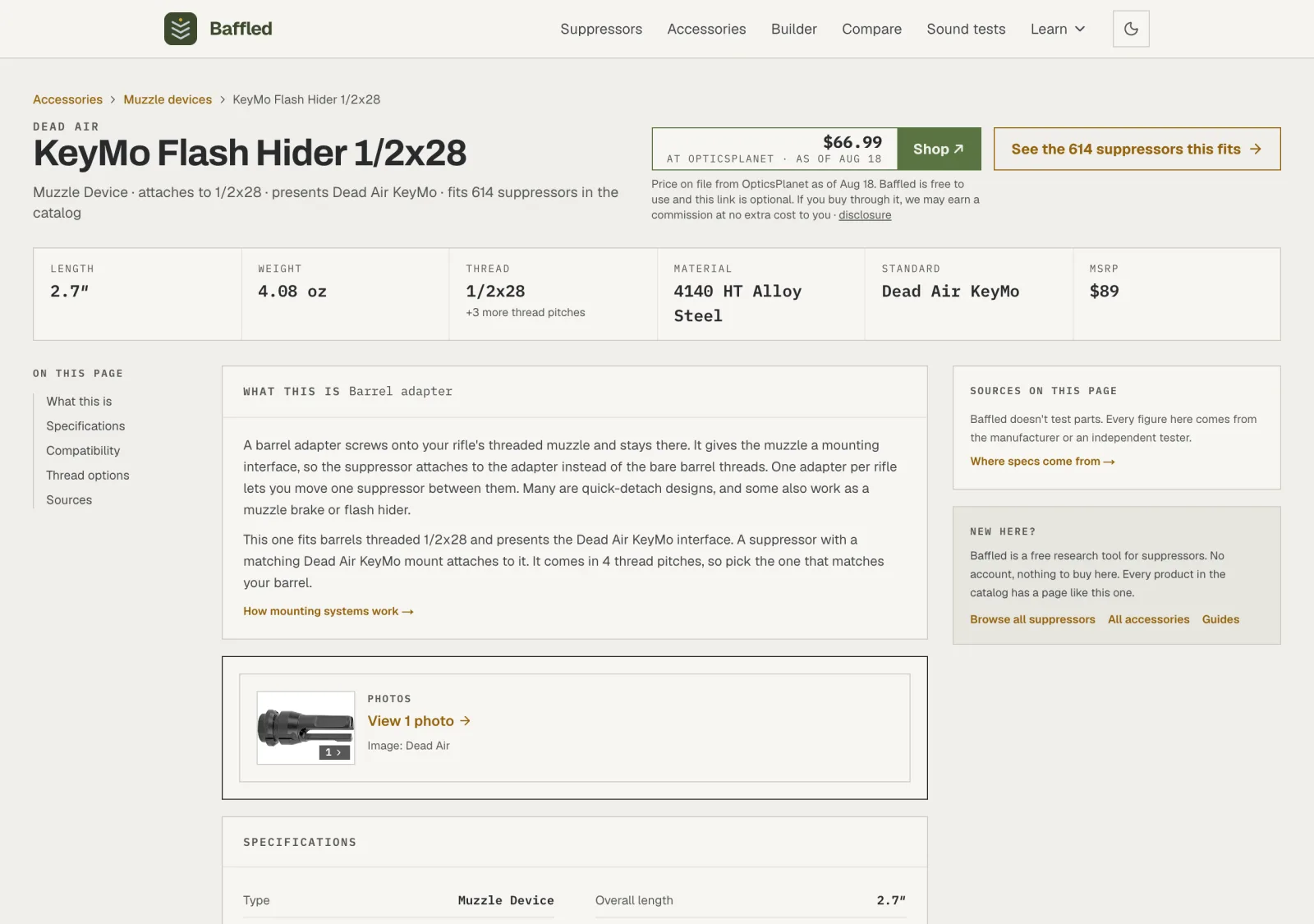
Click a card to open the part's own page. It starts with What this is, a plain-words explanation of the kind of part you're looking at, written for someone who has never bought one. Below that: the full specification list, with anything the manufacturer never published named as unpublished rather than guessed; the compatibility section, with examples of the suppressors it fits; Thread options when the same part is sold in several thread pitches; what the maker says about it when we have claims on file; and a Sources panel listing where every figure came from.
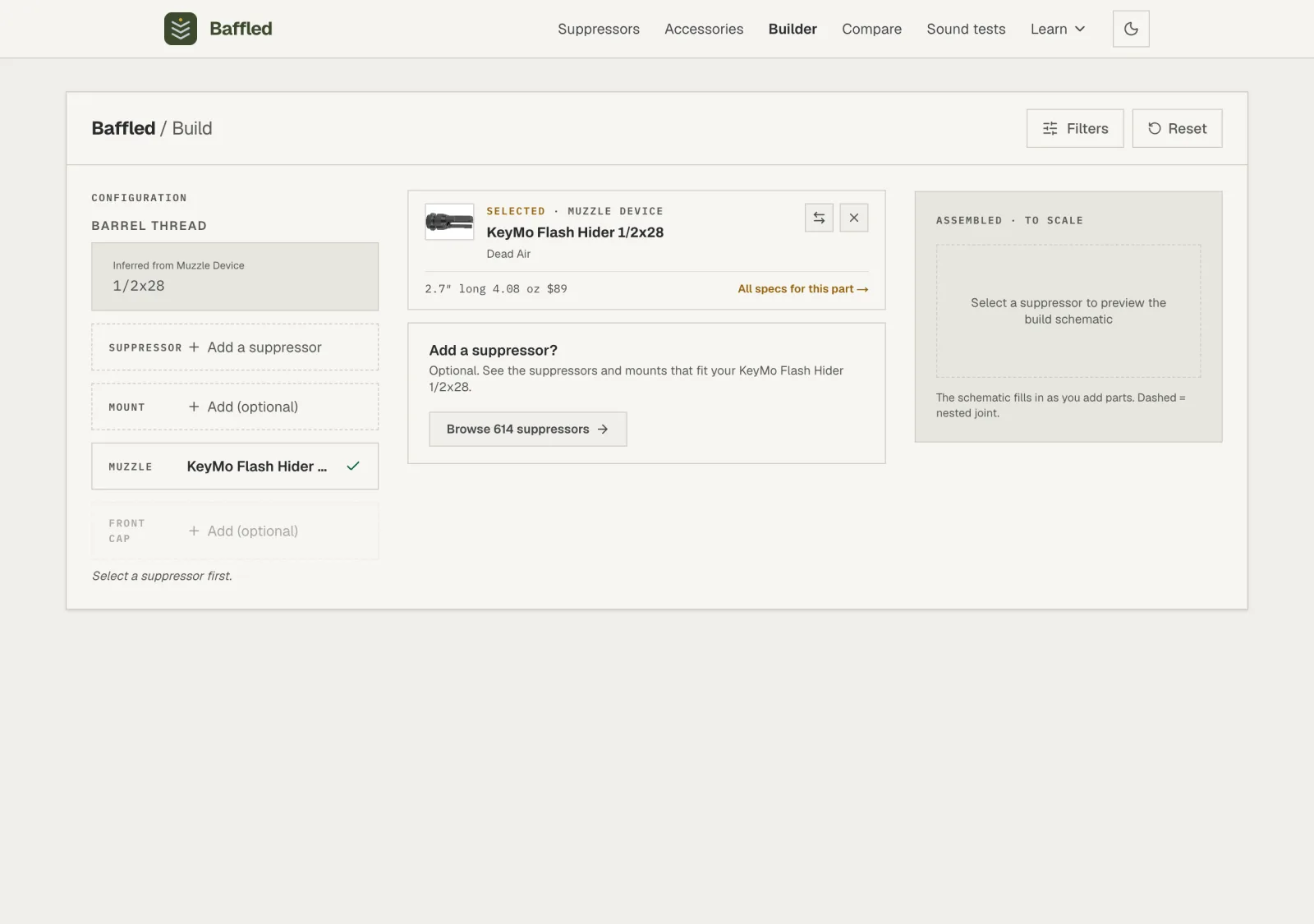
Step 9: Carry it into the Builder
The button on the part's page, See the suppressors this fits, carries it into the Builder, the tool that assembles a suppressor, mount, and muzzle device into one configuration and checks that the whole stack fits together. The part you chose arrives already selected, and the next guide walks through the rest of the assembly.