Guide · 6 steps
Compare builds
Put finished configurations side by side to see how they actually trade off across length, weight, price, backpressure, and what's been independently tested, instead of chasing one number.
Open CompareStep 1: Open Compare with your builds
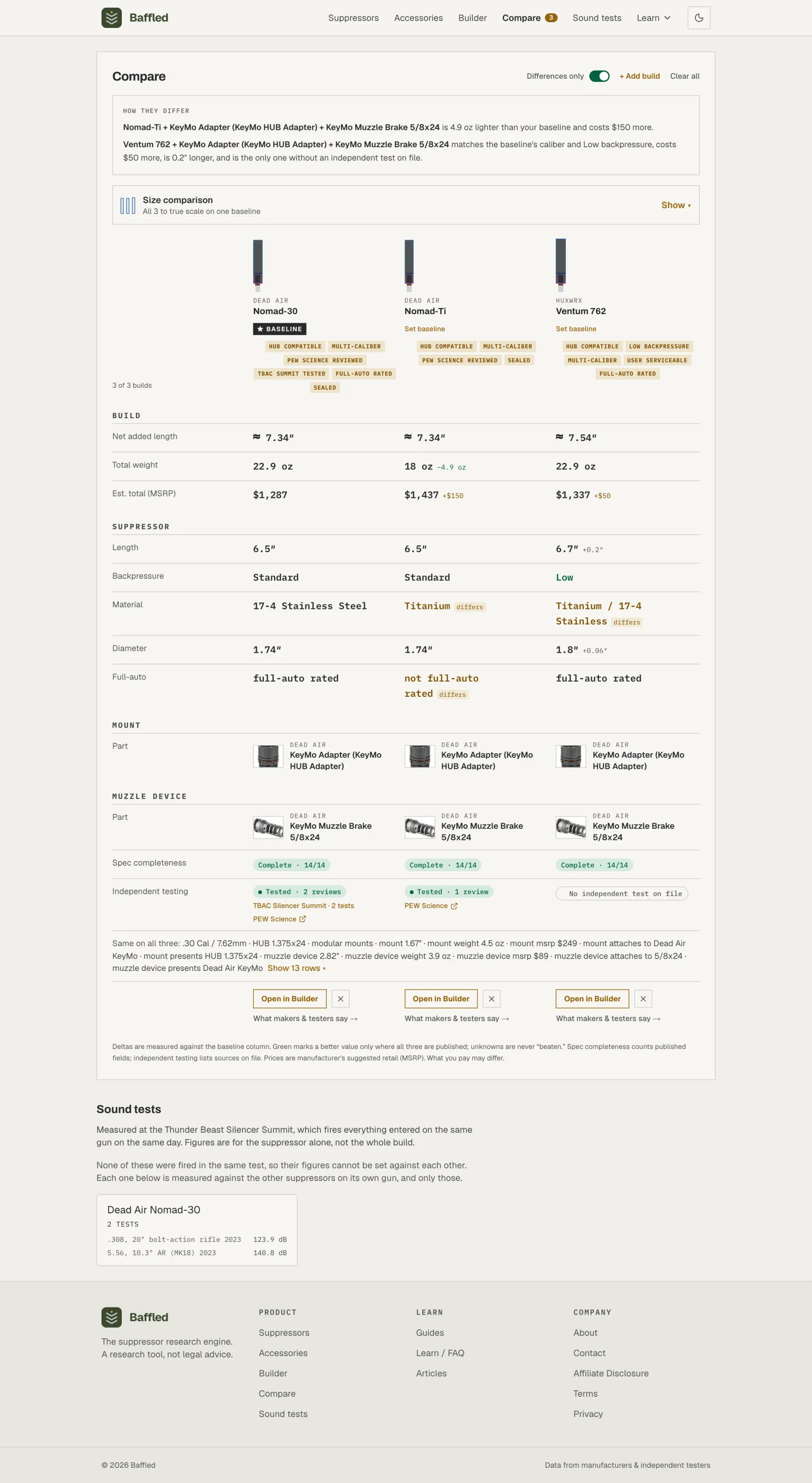
After adding builds from the Builder, open Compare. Each column is one complete configuration, labeled by its suppressor, and a plain-English “How they differ” summary sits on top. One column is the baseline that every difference is measured against; reassign it with Set baseline.
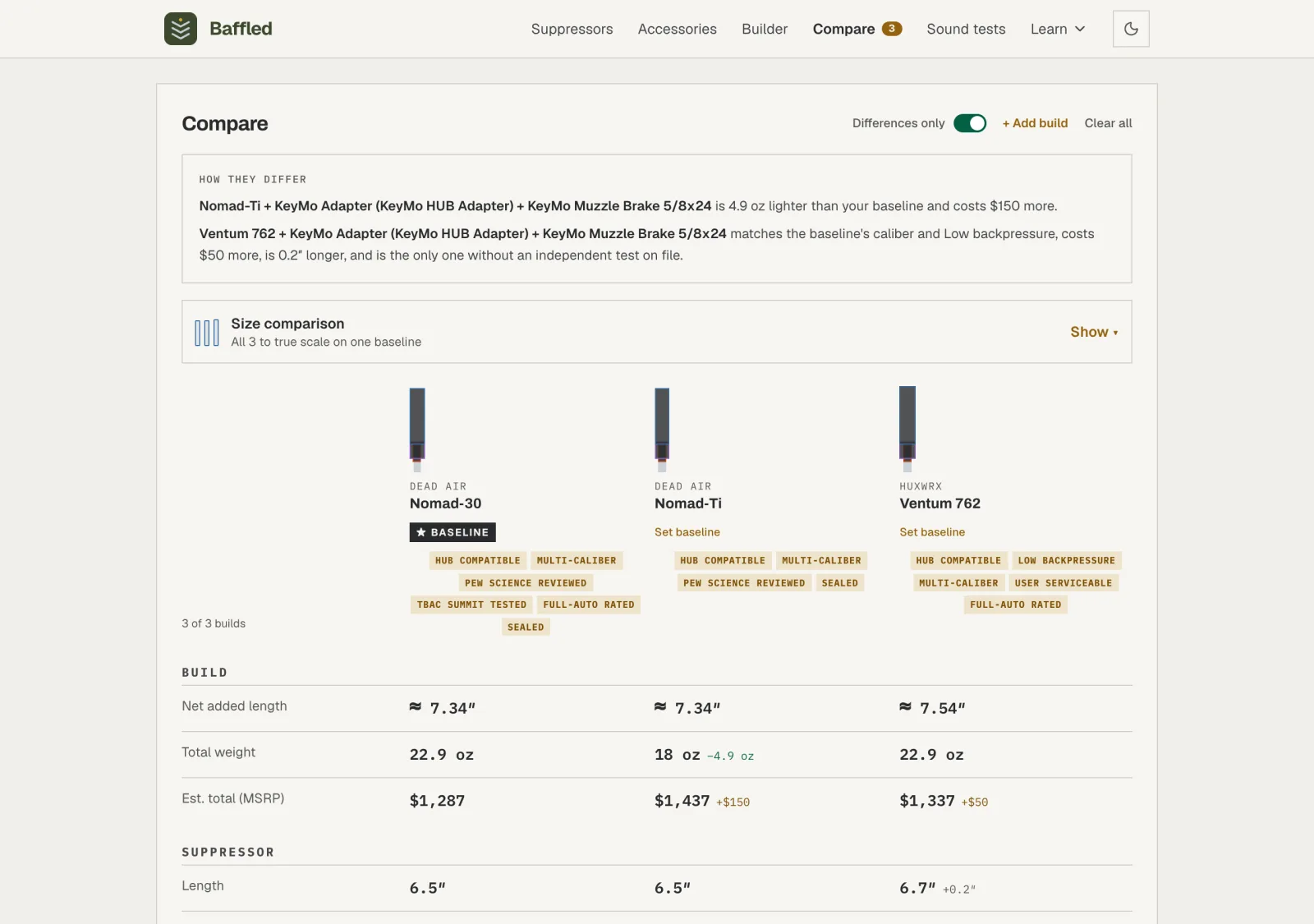
Read the silhouettes: The silhouettes are drawn at one shared scale, so their relative size, and how each would sit on the barrel, is honest to compare across columns.
Step 2: See the builds at true scale
Above the spec table, the Size comparison panel expands from its Show strip to draw every build at one shared, true-to-scale size, so you can read the real length and girth difference the small header silhouettes only hint at. Switch between Side by side and Overlay, and toggle Suppressors only or Full build to ghost in the mount and muzzle device nested exactly as they tuck into the suppressor.
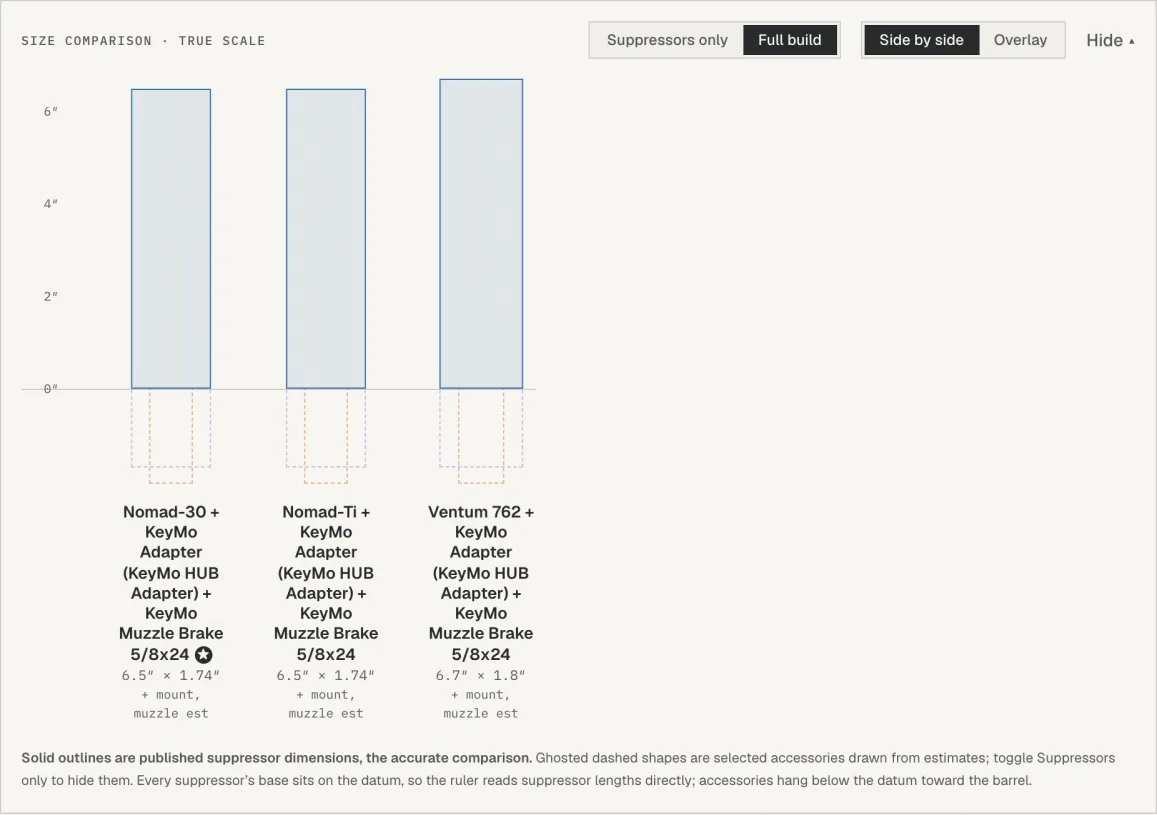
A shared ruler and one px-per-inch scale, so relative size is honest to read across columns. Honest scale: A build whose suppressor length is unpublished is named and left out of the drawing rather than guessed at, so the ruler never measures a real suppressor against an invented one.
Step 3: Compare the numbers that matter
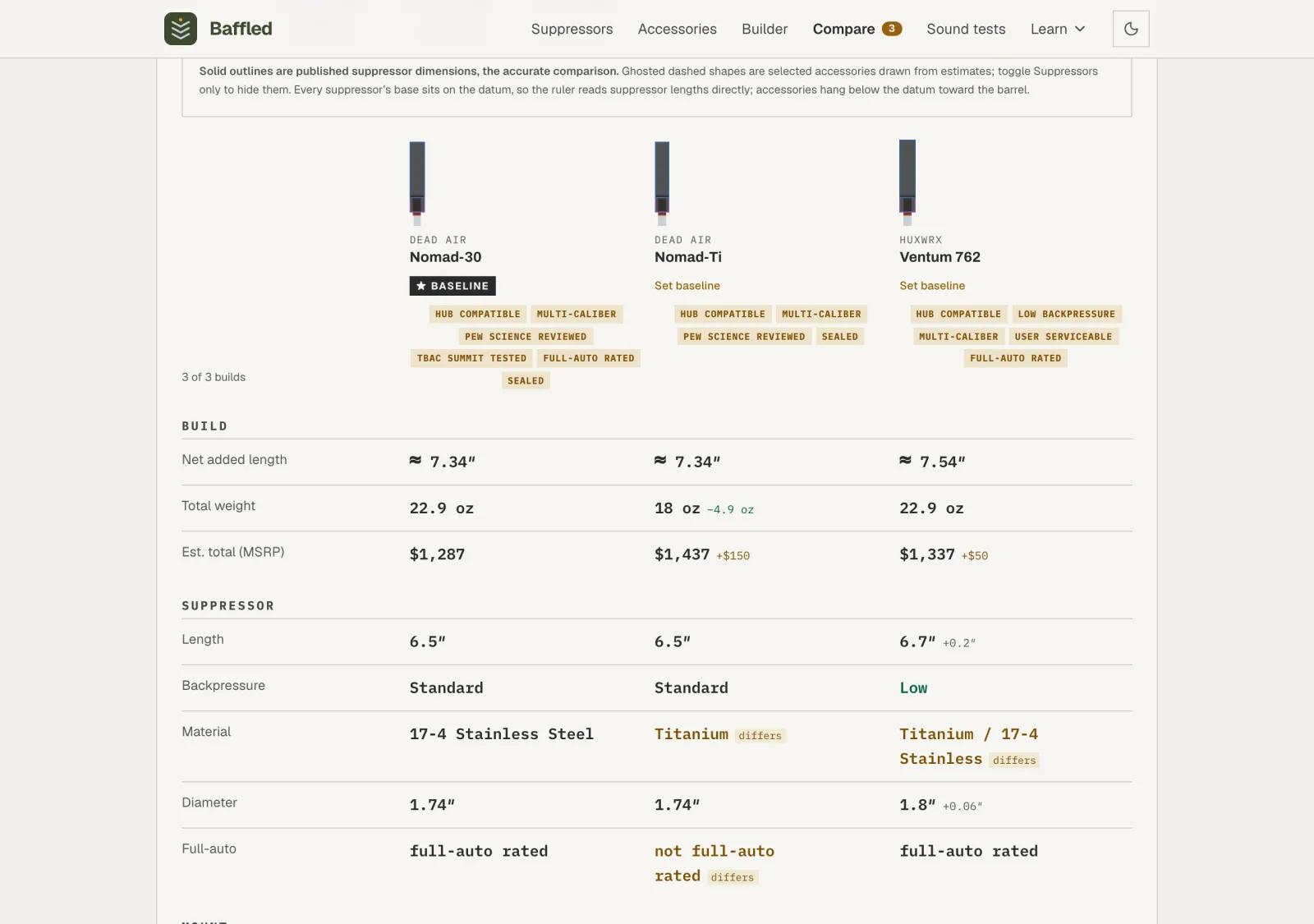
The table is grouped into labeled sections: the build totals, the suppressor, then one section for each added part (mount, muzzle device, front cap), each opening with that part's photo and name. Within them, each row is a spec: suppressor length, net added length, weight, estimated total price, backpressure, diameter. Non-baseline cells show a delta against the baseline; green marks a genuinely better value, while an amber “differs” tag flags a categorical difference such as material or full-auto rating.
Step 4: Mind what's estimated or missing
Data quality is called out on its own rows. Spec completeness counts published fields; Independent testing says whether a third party tested the suppressor, how many reviews are on file, and links to the tester. A build with none reads “No independent test on file.” A ≈ on net added length means the overlap was estimated, not measured.
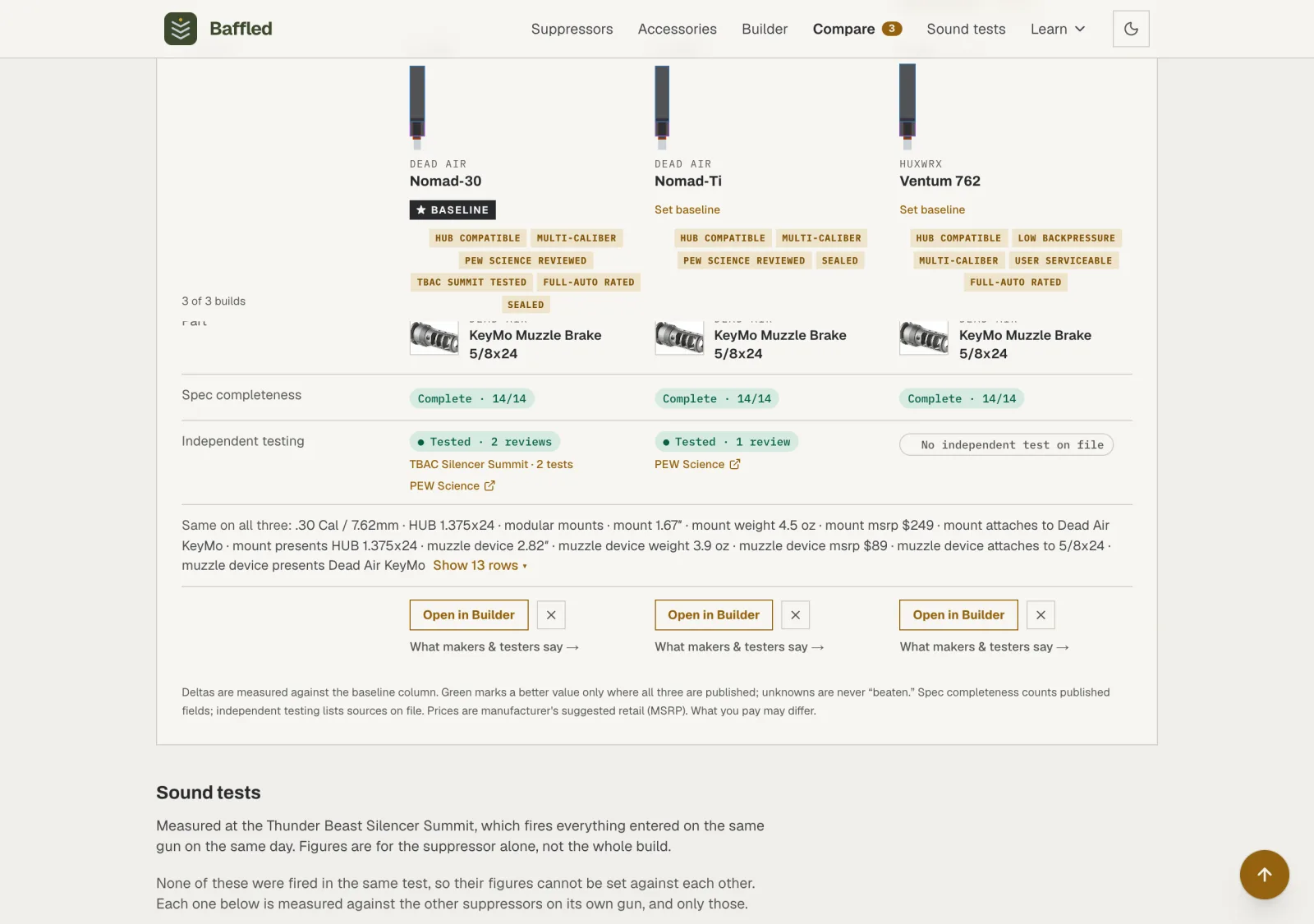
Unknowns are never “beaten”: A delta only turns green when every column has a published value, so a missing number can't masquerade as a win.
Step 5: Read what makers and testers said
Numbers are only as trustworthy as their source. Each column with evidence on file has a “What makers & testers say” link that opens the full record, grouped by who said it: the manufacturer's own claims, and a note plus a link out where an independent tester has covered the suppressor. It's the same evidence the Builder shows, gathered per build.
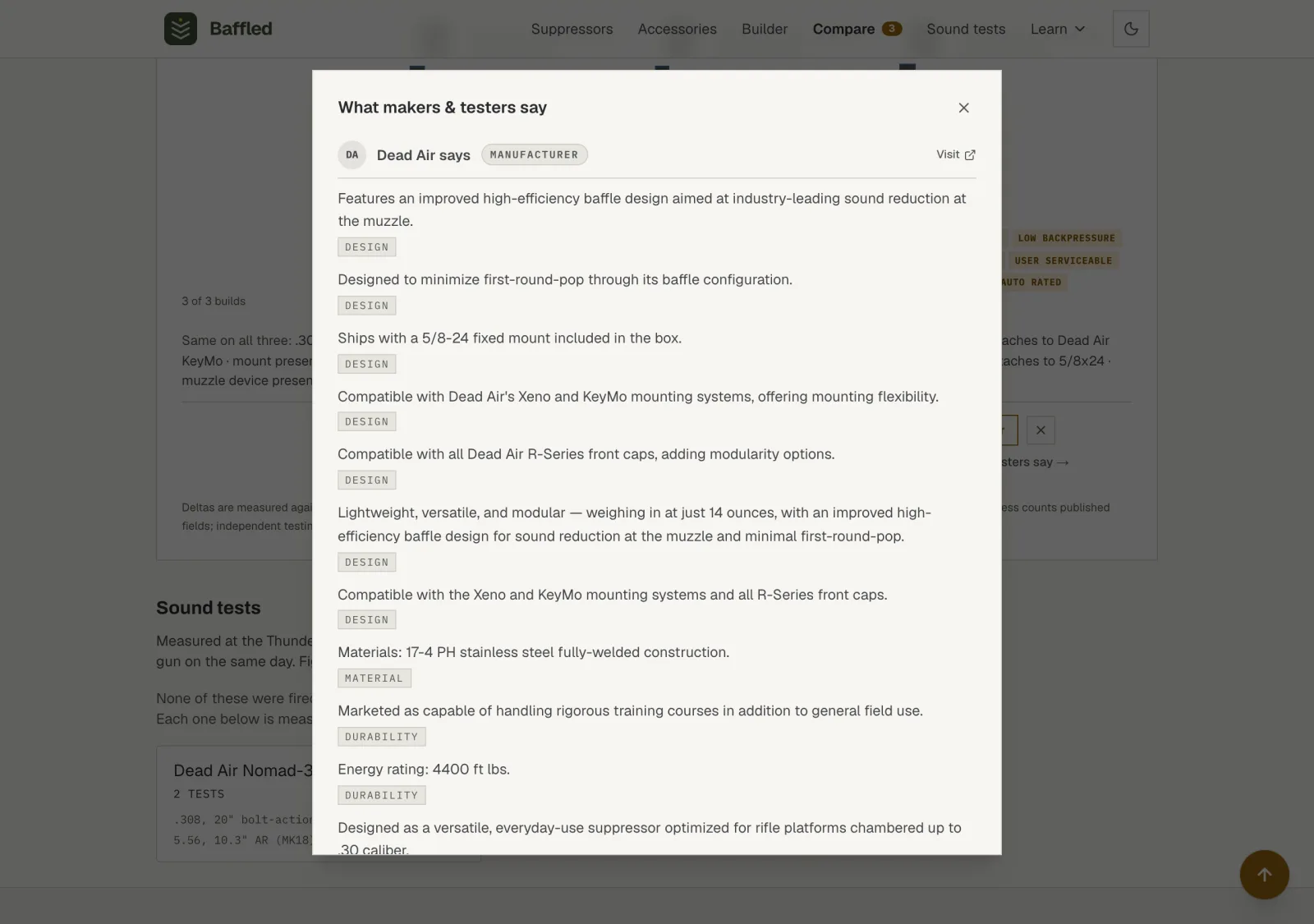
Two ways in: The Tested pill on the Independent testing row opens the same reading view, so you can jump straight from a testing result to its evidence.
Step 6: Dig deeper, then branch off
“Differences only” is on by default: rows that match across all builds collapse into a one-line “Same on all” summary, and Show rows expands them. Open in Builder reloads that exact configuration so you can spin off another variation. Use Compare to understand the trade-offs, not just to find the smallest number in every row.